Free to start. $19 when you go live.
Free covers one break with full tracking. Pro puts the board on your stream.
Free
Track one break from the dashboard.
- 1 break, with the full tracking dashboard
- Buyer and spot tracking in Break Control
- Revenue, costs and profit, with CSV export
- Watermarked preview of your real board
No card, no time limit.
Pro
For breakers streaming every week.
- Your live board on stream, in OBS or any browser source
- Unlimited breaks
- LIVE AT $1 and STASH OR PASS big text
- Five board themes beyond Classic
- Sticky notes, ticker, box counter, your logo
- 3-day free trial, cancel anytime
Card entered at Stripe Checkout. Nothing charged for 3 days.
What Pro puts on your stream
Real captures of the live board (demo break and handles), in landscape and in the vertical layout for Whatnot's 1080 x 1920 canvas.
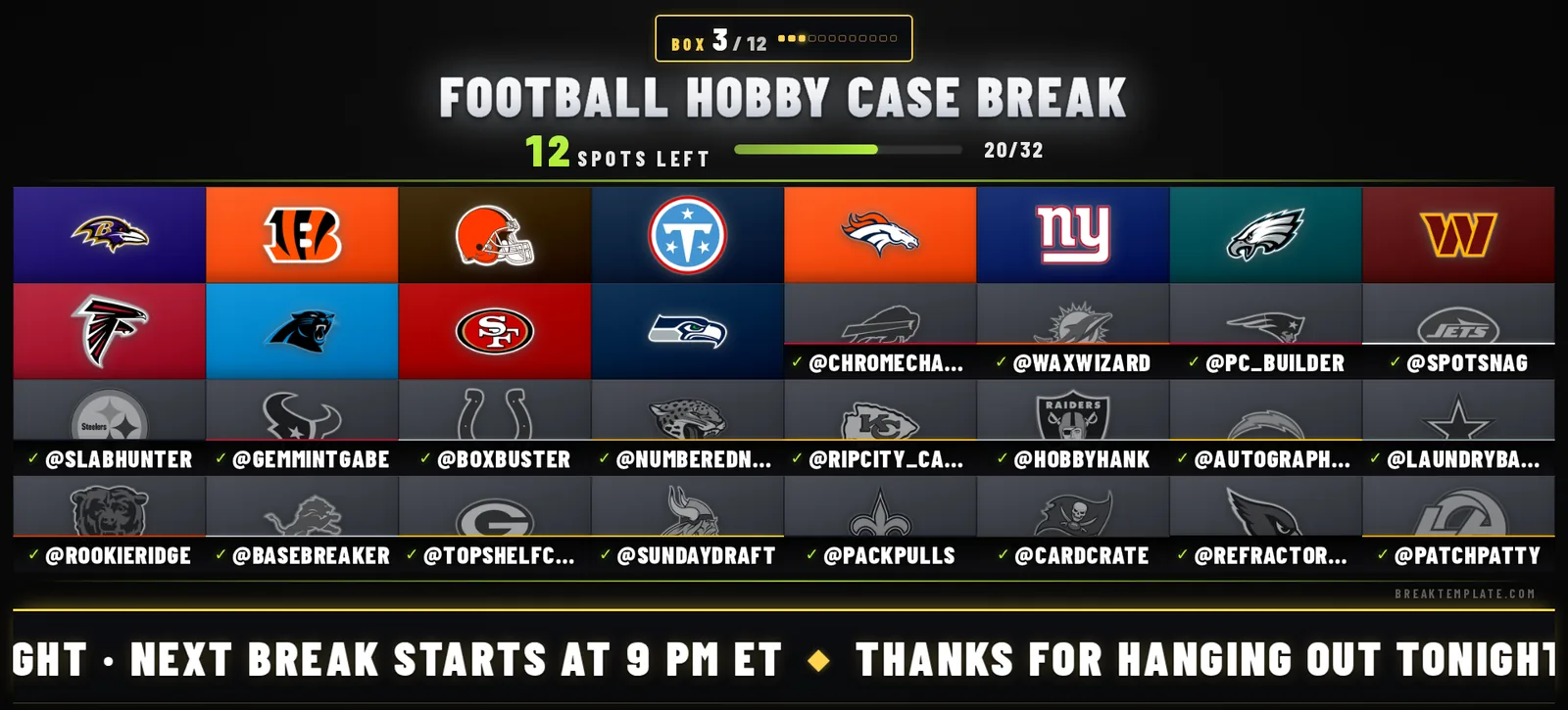
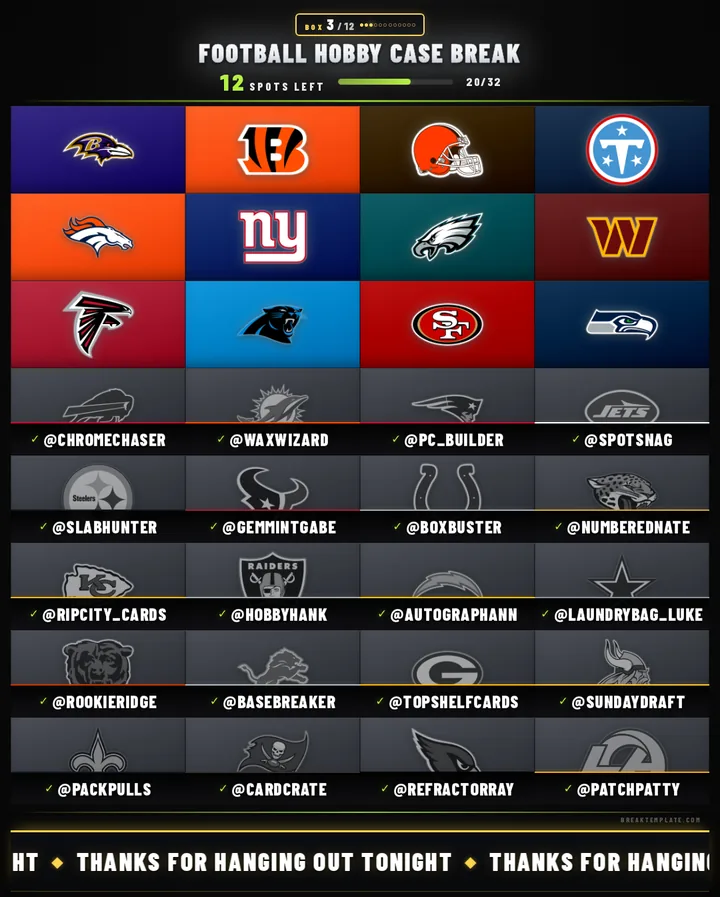
Free vs Pro, feature by feature
Free is the whole tracking dashboard for one break, so the money side works the same on both plans. Pro is what puts the board and its on-stream tools in front of your viewers, and removes the one-break limit. Locked Pro features stay visible inside the app, so nothing here is a surprise.
| Feature | Free | Pro |
|---|---|---|
| Price | $0, no card needed | $19/month after a 3-day free trial |
| Breaks | 1 in total (archived breaks count) | Unlimited |
| Pre-loaded NFL, NBA, MLB and NHL teams with logos | Yes | Yes |
| Buyer and spot tracking in Break Control | Yes | Yes |
| Revenue, logged costs, profit and margin per break | Yes | Yes |
| Finance view and CSV exports (breaks, buyer entries, costs) | Yes, covering your one break | Yes, across every break |
| Board preview in your browser | Watermarked, signed-in browser only | Clean, no watermark |
| Live board on your stream | No (OBS sources stay empty) | Yes, four permanent links: board, big text, two sticky notes |
| Big text: LIVE AT $1 and STASH OR PASS | No | Yes, with accent colors |
| Board themes | Classic only | Classic, Baseball, Basketball, Neon Nights, Camera, Halloween |
| Sticky notes on stream | No | Two, with colors |
| Scrolling message (ticker) | No | Yes |
| Box counter on stream | No | Yes |
| Highest-bid strip | In the preview only | On stream |
| Your logo under the board | No | Yes, PNG, JPG or WebP |
| Referral code to share | No | Yes, plus an opt-in badge on your board |
How the 3-day free trial works
- Start it from this page or from Settings, then Billing. Checkout runs on Stripe, and you enter a card there. Payments are processed by Stripe; BreakTemplate never sees or stores your card number.
- Pro switches on within seconds. The live board, unlimited breaks and every on-stream tool unlock as soon as Stripe confirms the checkout.
- Run a real show on it. Three days covers a show weekend, so the practical move is to start the trial the day of your next show.
- Day 3: you decide. Do nothing and the card is charged $19, then Pro renews monthly. Cancel before the trial ends and you pay nothing; Pro stays on until the trial is over, then the account moves to Free.
Canceling, downgrading and failed payments
Cancel from Settings, then Billing, with the Cancel subscription button. Pro stays active until the end of the period you already paid for, then the account moves to Free and no further charges happen. The Manage Billing button on the same page opens Stripe's billing portal, where you update your card.
Going back to Free never deletes anything. Breaks, buyers, costs and history stay, and an OBS source pointing at your board shows a clean empty state instead of an error box on stream. If a renewal charge fails, the account drops to Free at once and comes back to Pro automatically when the payment goes through.
Referral discount: 50% off your first month
Breakers on Pro get a referral code (it looks like BRK-XXXXX) and a short link at breaktemplate.com/r/ followed by the code. If someone sends you theirs, you get 50% off your first month of Pro. The link carries the code into sign-up and Billing for you; with a bare code, type it into the referral box on the Billing page before checkout. Codes only come from Pro accounts, one referral per account, and a code that does not check out simply leaves checkout at the normal price. The breaker who referred you earns an account credit once you become a paying subscriber.
What neither plan does
- Import Whatnot sales. You type each buyer once in Break Control and the board updates in about two seconds. No chat reading, no Whatnot login.
- Randomize teams on a Whatnot stream. Whatnot's Card Breaks Policy does not allow randomizer wheels, including digital ones run through streaming software. Random assignment belongs in Whatnot's own Breaks feature.
- Lock you into a contract. Pro is month to month, and Free has no time limit.
Still deciding? The Whatnot overlay page shows what the live board does and how it compares with Whatnot's own Breaks widget, and the free break templates are there if a spreadsheet is all you need for now.
Pricing questions
- What does the 3-day free trial include?
- Everything in Pro: the live board on your stream, unlimited breaks, the themes, big text, sticky notes, the ticker, the box counter and your logo under the board. You start it from Stripe Checkout, where you enter a card, and nothing is charged during the 3 days.
- What happens when the trial ends?
- Your card is charged $19 and Pro continues, renewing monthly until you cancel. If you cancel before the trial ends, you keep Pro until the trial is over, you are not charged, and your account moves to the Free plan.
- How do you cancel Pro?
- Go to Settings, then Billing, and press Cancel subscription. You can pick a one-tap reason or skip it. Pro stays active until the end of the current billing period, then the account moves to Free with no further charges. Payments already made are not refunded except where the law requires it; if something went wrong on the BreakTemplate side, email support@breaktemplate.com.
- What happens to your breaks after going back to Free?
- They stay. Your breaks, buyers, costs and history are kept, and any OBS source pointing at your board shows a clean empty state instead of an error. The Free plan covers one break in total, so starting another new break needs Pro again.
- What if a renewal payment fails?
- The account drops to Free right away, so the board leaves your stream until the payment goes through. Update your card through Manage Billing on the Billing page. When Stripe retries the charge and it succeeds, Pro comes back on its own.
- Is there a referral discount?
- Yes. If a breaker on Pro shares their referral link or code with you, you get 50% off your first month of Pro. Open their breaktemplate.com/r/ link, or type the code (it looks like BRK-XXXXX) on the Billing page before checkout. A code that does not check out never blocks checkout; you just pay the normal price.
- Does BreakTemplate import Whatnot sales?
- No. You sell on Whatnot like always and type each buyer once in Break Control, and the board on your stream updates in about two seconds. BreakTemplate does not read your chat, does not import Whatnot sales, and never asks for your Whatnot login.
- Will viewers see the dashboard?
- No. The dashboard is seller-side only. Viewers see only the board you choose to put on stream: your teams, the buyer names you type, and whatever big text, notes or ticker you fire. It all runs in a web browser, so there is nothing to install beyond your streaming software.
More questions? Email support@breaktemplate.com. The full billing terms are in the Terms of Service.