The most advanced break system
is also the simplest.
Type one name and the whole show follows. Spots hit your stream in about two seconds, claims land like broadcast graphics, and the night's revenue, costs and profit are totaled before you put the mic down.
Typed once. That is the whole job.
Updates as spots sell.
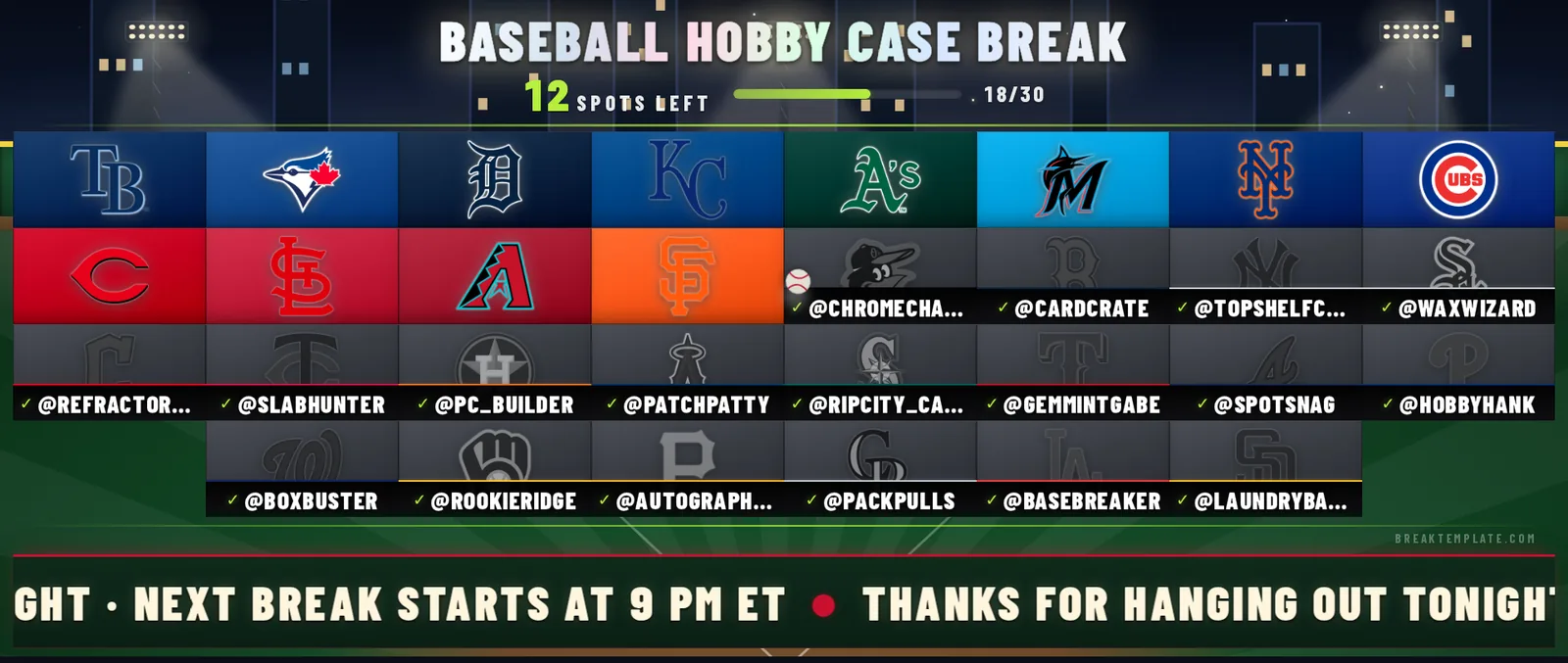
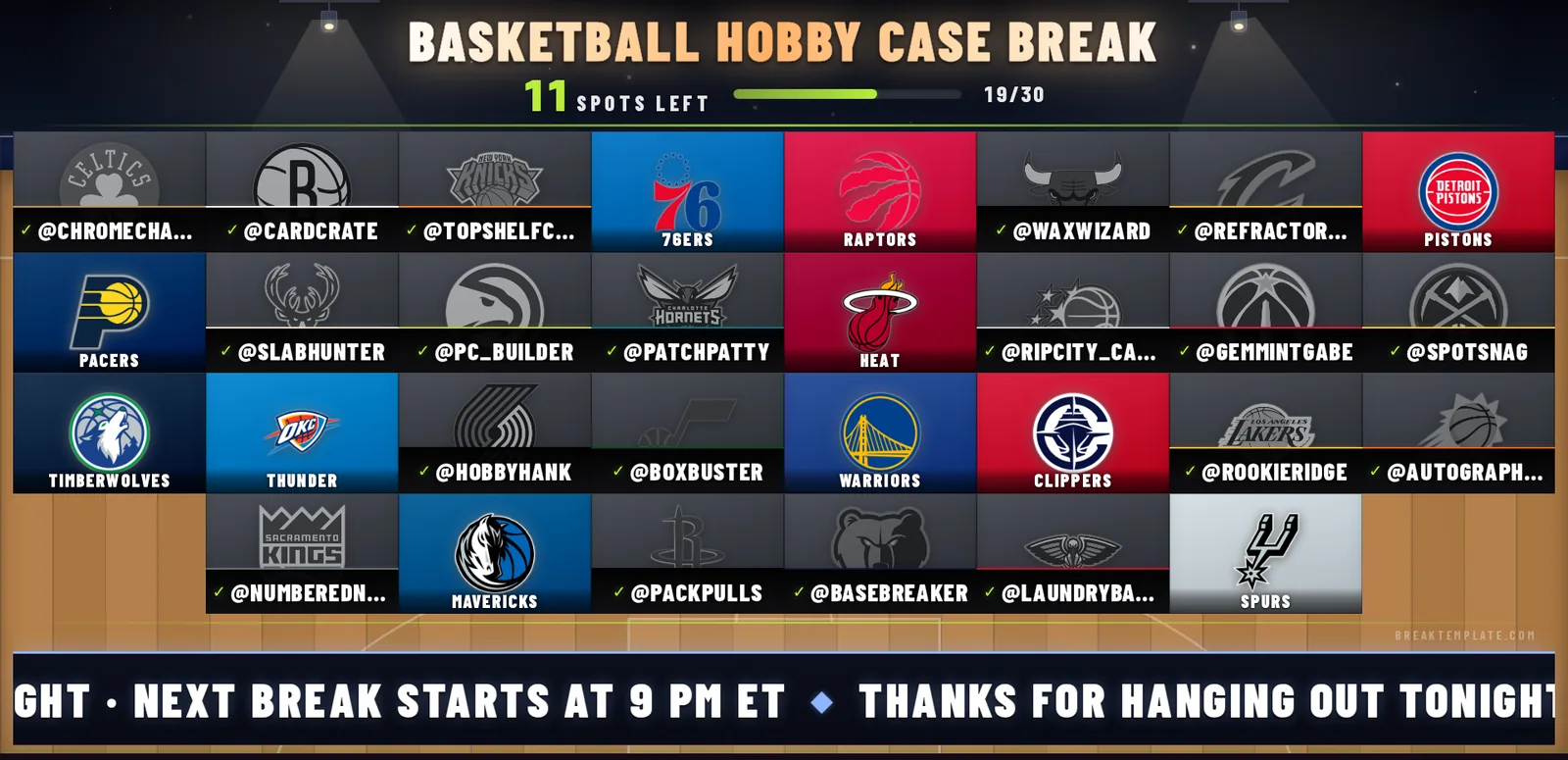
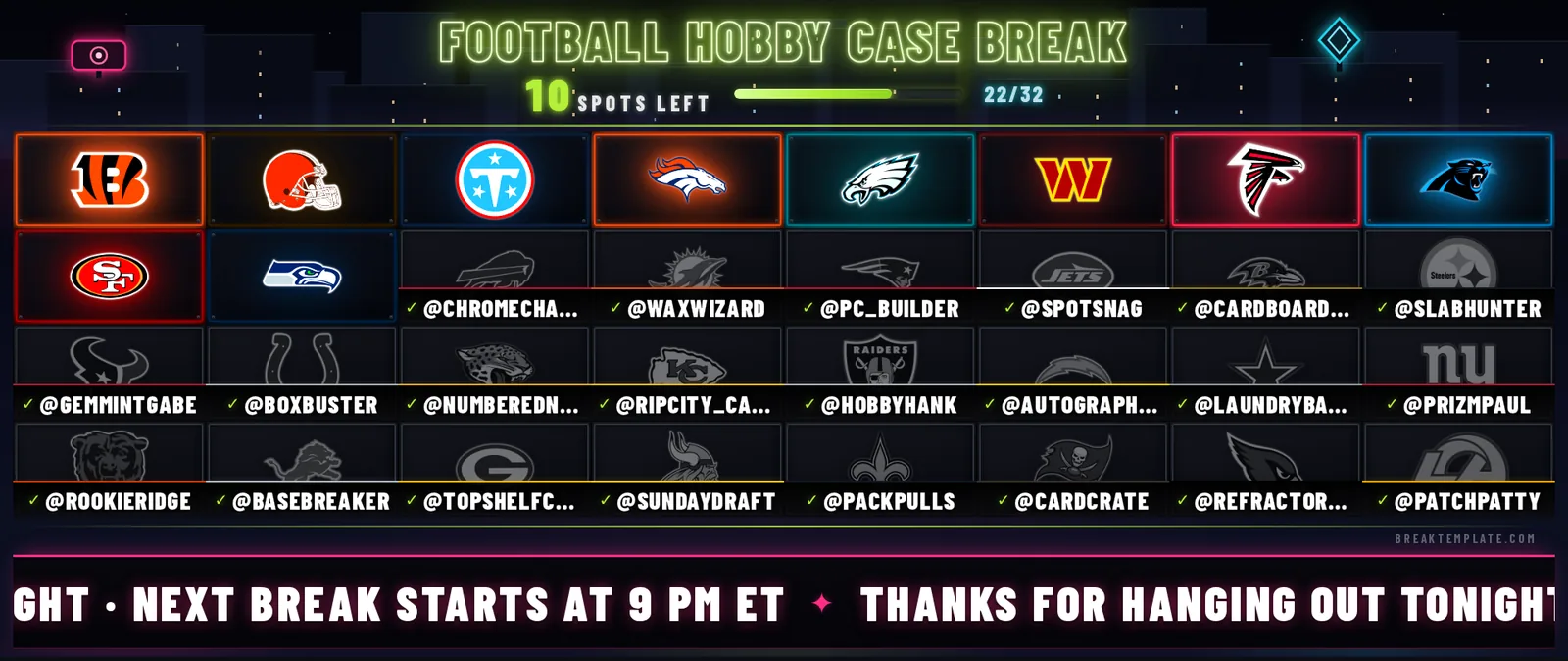
Live preview. This is the exact board your viewers see in OBS.
Free tracks your first break on the dashboard. Pro puts the board on your stream: $19 a month, 3-day free trial.
The real board, not a mockup
What your viewers see on stream.
Captured straight from the overlay: a buyer is typed in, the claim fires, and the board updates. Pick a theme per show; the same link keeps working.
Free tool · no account
Spin the wheel.
Right here, right now.
Set a fantasy draft order, pick a Madden or NBA 2K franchise, or hand out teams for a pick'em pool. All 32 NFL teams, NBA, MLB, NHL, or paste your own list. Remove the winner after each spin for no repeats, and the draw order is kept. Spins happen in your browser and stay there.
Also free: Whatnot fee calculator, break profit calculator and break templates.
Show night
Type it. Watch it land. Count it.
The whole loop on one name. No spreadsheet window, no retyping, no “who got the Chiefs?” in chat.
Sell the spot in your Whatnot live like always, then type the buyer's name once in Break Control. That one entry is the entire job during the show.
The overlay is a web page in OBS. The claim pops on the stream board in about two seconds, with the buyer's name on the spot, so chat never has to ask.
Log the box cost and supplies once. Close the break and the night's revenue, costs and profit are totaled, with a CSV export if your accountant wants receipts.
One-time setup: paste your overlay link into OBS as a Browser Source. The link never changes, so OBS is done forever after the first show.
Board themes
Same board. A different look every show.
One click in Break Control reskins the whole stream: backdrop, cells, claim effects. These five are live right now.
Every theme is built in-house, one scene at a time. Want one for your show? There is a theme request box inside the app, and requests set the build order.
Built mid-stream, not in a boardroom.
I run card breaks on Whatnot myself, and this started as the board for my own shows. I was typing buyer names into a spreadsheet with one hand, holding cards with the other, and the stream could never see any of it.
So I built the board I wanted to look at: type the name once, it shows up on stream big and clean, and the math is done when the show ends. I still run every one of my breaks on it.
If something feels clunky, tell me inside the app. The request list stays short, and I usually ship the fix before your next show.
Two plans. No tricks.
Start on Free tonight. Move up when you want the board on your stream.
Free
Track one break from the dashboard.
- 1 break, the full tracking dashboard
- Buyer and spot tracking
- Revenue, costs and profit per break
- Watermarked preview of your board
- Live OBS overlay on stream
- On-stream actions and themes
No time limit on the free plan.
Pro
For breakers streaming every week.
- Live OBS overlay: your board on stream
- Unlimited breaks
- LIVE AT $1 and STASH OR PASS takeovers
- All five board themes, plus custom colors
- Sticky notes and the giveaway ticker
- Box counter, highest-bid strip and your own logo
3-day free trial. Cancel anytime.
Four questions every breaker asks.
Is BreakTemplate free?
The free plan is real, not a demo timer: one break, the full tracking dashboard, and a watermarked preview of your board. Putting the live board on your stream is Pro, $19 a month with a 3-day free trial, so your first show on it can run during the trial.
Does it work with Whatnot?
It is built around the Whatnot show flow. Sell the spot in your live like always, then type the buyer once in Break Control and everything updates: board, stream overlay, finances. No Whatnot login or connection needed, so there is nothing extra to go wrong mid-show.
Which leagues are loaded?
NFL, NBA, MLB and NHL: 124 teams with logos and team colors inside the app. Pick a league and the template fills every spot for you. Football, basketball, baseball and hockey breaks all run the same way.
Does the overlay work in OBS?
Yes. The board is a web page: paste one permanent link into OBS as a Browser Source and you are done. Nothing to install, and updates land in about two seconds. If it can show a web page, it can show your board.
Run tonight's break on it.
Free for your first break. Pro when the board earns its place on your stream.
Start free →